Tools for download
FX Blue Trading Simulator
The FX Blue Trading Simulator converts the MT4 and MT5 strategy tester into a tool for practising manual trading using historic data. You can use the Simulator to test how well you would have fared under particular historic market conditions - and/or to check how well your favourite indicators would have guided you in the past.
Download for Your Platform
Our installer, and also some of our individual tools, require v4.8 of the Microsoft .NET Framework. This may not be installed by default on some VPSes.
MT 4
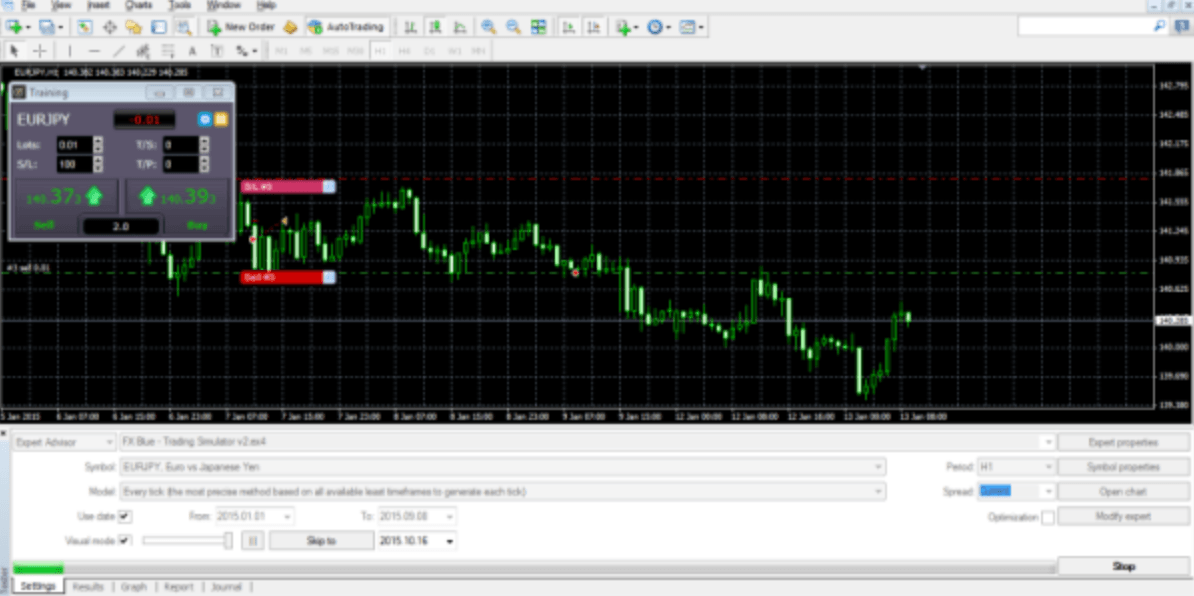
The FX Blue Trading Simulator converts the MT4 strategy tester into a tool for practising manual trading using historic data. You can use the Simulator to test how well you would have fared under particular historic market conditions - and/or to check how well your favourite indicators would have guided you in the past.The Simulator lets you place market and pending orders, set trailing stops, alter the s/l and t/p on orders by clicking on the chart, save complex order definitions as templates, quickly close all open orders, plus many more features which are not available as standard in MT4.
This v3 of the Simulator has a range of extra features:
The results of a simulation can be published to the FX Blue website, giving you access to the full FX Blue reporting and analysis functionality.
This v3 of the Simulator has a range of extra features:
- Multiple timeframes
- Smart Lines
- Keyboard shortcuts
The results of a simulation can be published to the FX Blue website, giving you access to the full FX Blue reporting and analysis functionality.
MT 5
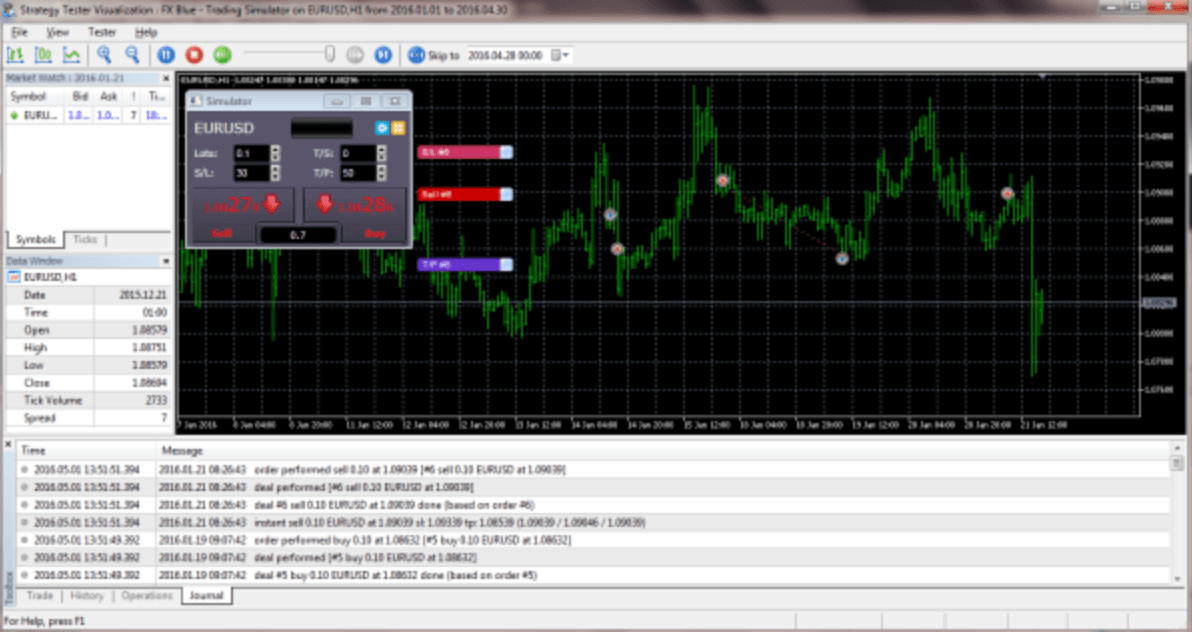
The FX Blue Trading Simulator converts the MT5 Strategy Tester Visualization into a tool for practising manual trading using historic data. You can use the Simulator to test how well you would have fared under particular historic market conditions.
The Simulator lets you place market and pending orders, set trailing stops, alter the s/l and t/p on orders by clicking on the chart, save complex order definitions as templates, quickly close all open orders, plus many more features which are not available as standard in MT5.
The Simulator lets you place market and pending orders, set trailing stops, alter the s/l and t/p on orders by clicking on the chart, save complex order definitions as templates, quickly close all open orders, plus many more features which are not available as standard in MT5.
Explore and Download Our Other Tools
The Slingshot Author app creates packages for Slingshot, letting other users quickly download a single package which installs a chart (or template) plus all the EAs and custom indicators used on that chart.
The Chart Quick-Tools are a suite of scripts for modifying all open charts simultaneously in both MT4 and MT5. They allow you to apply indicators to all charts or synchronise settings such as colours and zoom levels from one chart to the rest.
The Publisher EA is our recommended way of publishing your trading history from platform to FX Blue. Updates the website immediately on new trading activity. Highly configurable: set a start date, control which trades are published.